Agilent Technologies
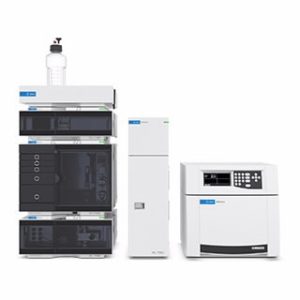
Препаративные и биохроматографические системы1260 Infinity II Bio-SEC Multidetector System
Part number to be confirmed
Price on request


 Series imageSeries image
 Series image
 Series image
 Series imageSeries image
 Series imageSeries image
 Series imageSeries imageSeries imageSeries imageSeries image
 Series imageSeries imageSeries image
My enquiry contains products for the current request. Save its contents under a name to create a selection you can update and reuse for future purchases.
Select “Add to enquiry +” on products in the catalogue, or paste a list of part numbers.
Result: products in My enquiryOpen My enquiry. Check products, part numbers and quantities.
Result: a reviewed listSelect “Save products as a selection”, enter a name and save.
Result: a separate selection in this browserFind the selection in the workbench. Add products using search, change quantities or transfer the list to an enquiry.
Sending the enquiry is a separate actionWe will highlight the relevant button at each step. You can stop at any time.
Open Saved selections, choose a selection and expand “Add products to this selection”. Find the product by part number or name and select “Add · 1 unit”. It is saved to the selection immediately; you can change the quantity in the table.
Selections are stored in this browser on this device. Download a CSV for a backup. Saving a selection sends nothing; the enquiry is sent separately after you enter your contact details and select “Send enquiry”.